CatFee Launches Its New User Center

CatFee V2 User Center Is Live: A Better-Looking, More Practical Experience
We are excited to announce the launch of the CatFee V2 User Center! The new version combines a clean design with powerful features to make everyday operations smarter and more efficient. Here are its main highlights, designed to help you manage accounts, monitor transactions, and track Energy and fund flows.
The images below are English-localized illustrations of the original 2025 interface. Figures and features reflect the original announcement.
1. Account Overview: Key Information at a Glance
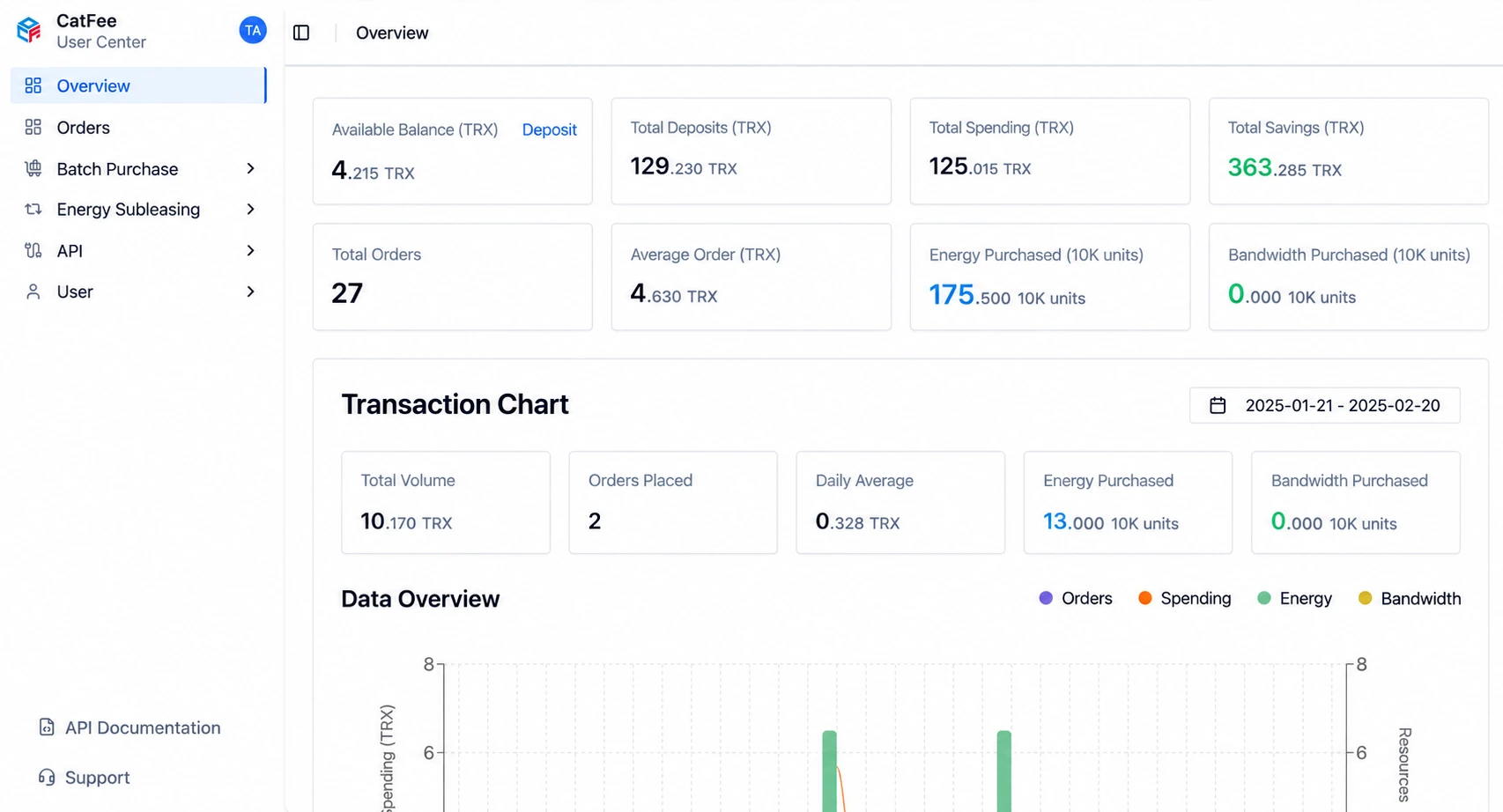 The redesigned account overview provides comprehensive statistics so that you can check your account status at any time. It clearly displays:
- Available balance: Your remaining balance in real time, helping you keep track of funds.
- Total deposits (TRX): Your historical deposit total, making incoming funds easier to monitor.
- Total spending (TRX): Your total spending on the platform, with a clear record of expenditure.
- Order count: The number of orders you have placed, helping you manage transaction records.
- Energy purchased: The amount of Energy you have purchased, making resource usage clear.
We have also introduced charts to make account activity easier to understand. View daily order data, order counts, transaction amounts, and more. Balances, spending, and orders are available on one page, saving you time and effort.