CatFee Launches Its New User Center

CatFee V2 User Center Is Live: A Better-Looking, More Practical Experience
We are excited to announce the launch of the CatFee V2 User Center! The new version combines a clean design with powerful features to make everyday operations smarter and more efficient. Here are its main highlights, designed to help you manage accounts, monitor transactions, and track Energy and fund flows.
The images below are English-localized illustrations of the original 2025 interface. Figures and features reflect the original announcement.
1. Account Overview: Key Information at a Glance
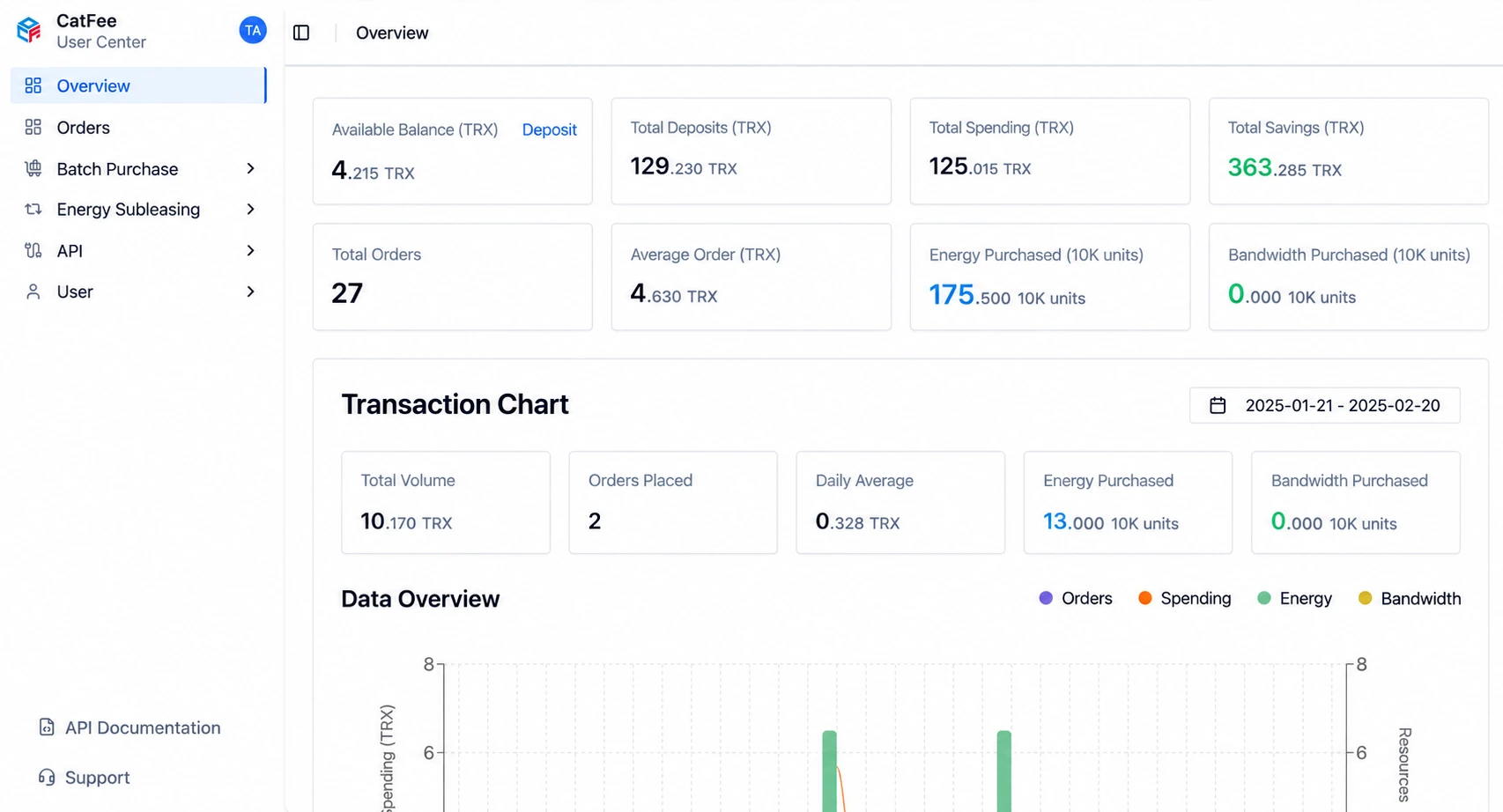 The redesigned account overview provides comprehensive statistics so that you can check your account status at any time. It clearly displays:
- Available balance: Your remaining balance in real time, helping you keep track of funds.
- Total deposits (TRX): Your historical deposit total, making incoming funds easier to monitor.
- Total spending (TRX): Your total spending on the platform, with a clear record of expenditure.
- Order count: The number of orders you have placed, helping you manage transaction records.
- Energy purchased: The amount of Energy you have purchased, making resource usage clear.
We have also introduced charts to make account activity easier to understand. View daily order data, order counts, transaction amounts, and more. Balances, spending, and orders are available on one page, saving you time and effort.
2. Order List: Clear Records and Fast Searches
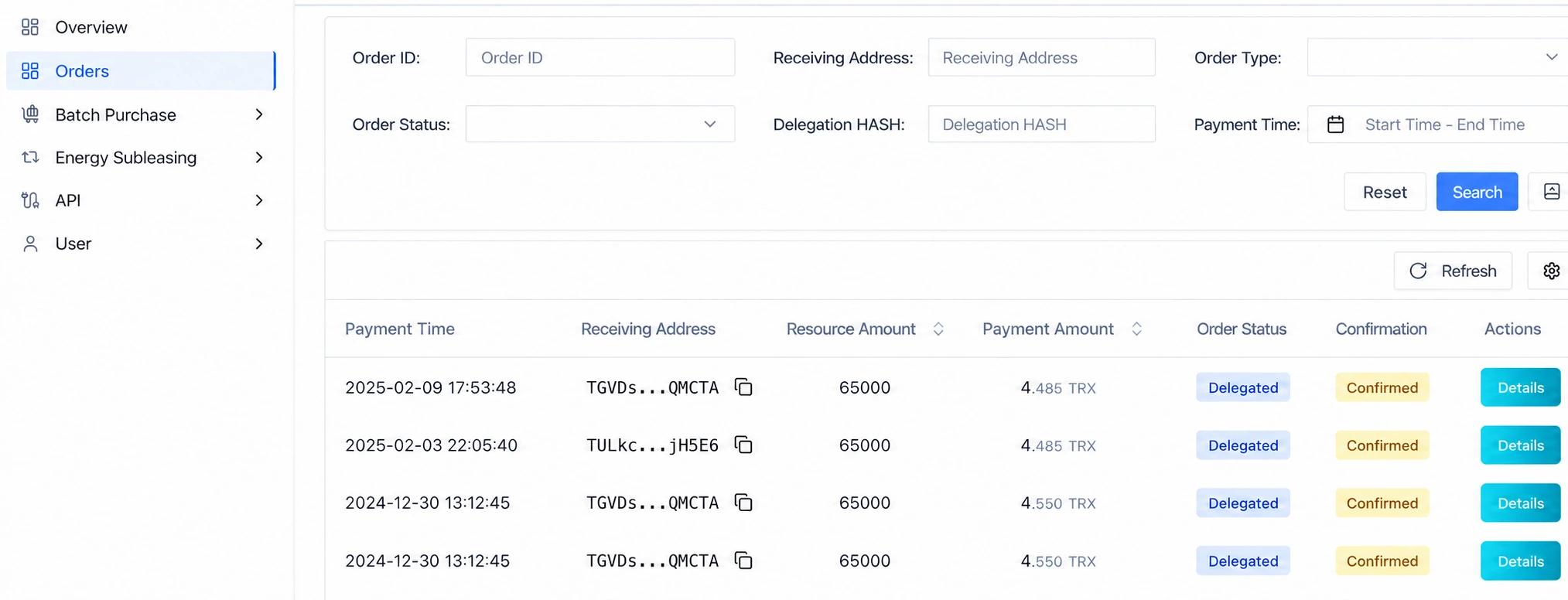
The new order list provides a cleaner presentation, making orders quicker to view and manage. Users can:
- View order details: See direct purchase orders, API purchase orders, and other information, with complete transaction records.
- Search orders: Locate specific orders using key fields such as the order number or Energy receiving address.
Whether checking a single order or filtering historical records, CatFee aims to simplify every step and make it more efficient.
3. Batch Purchasing: Efficient Operations That Save Time
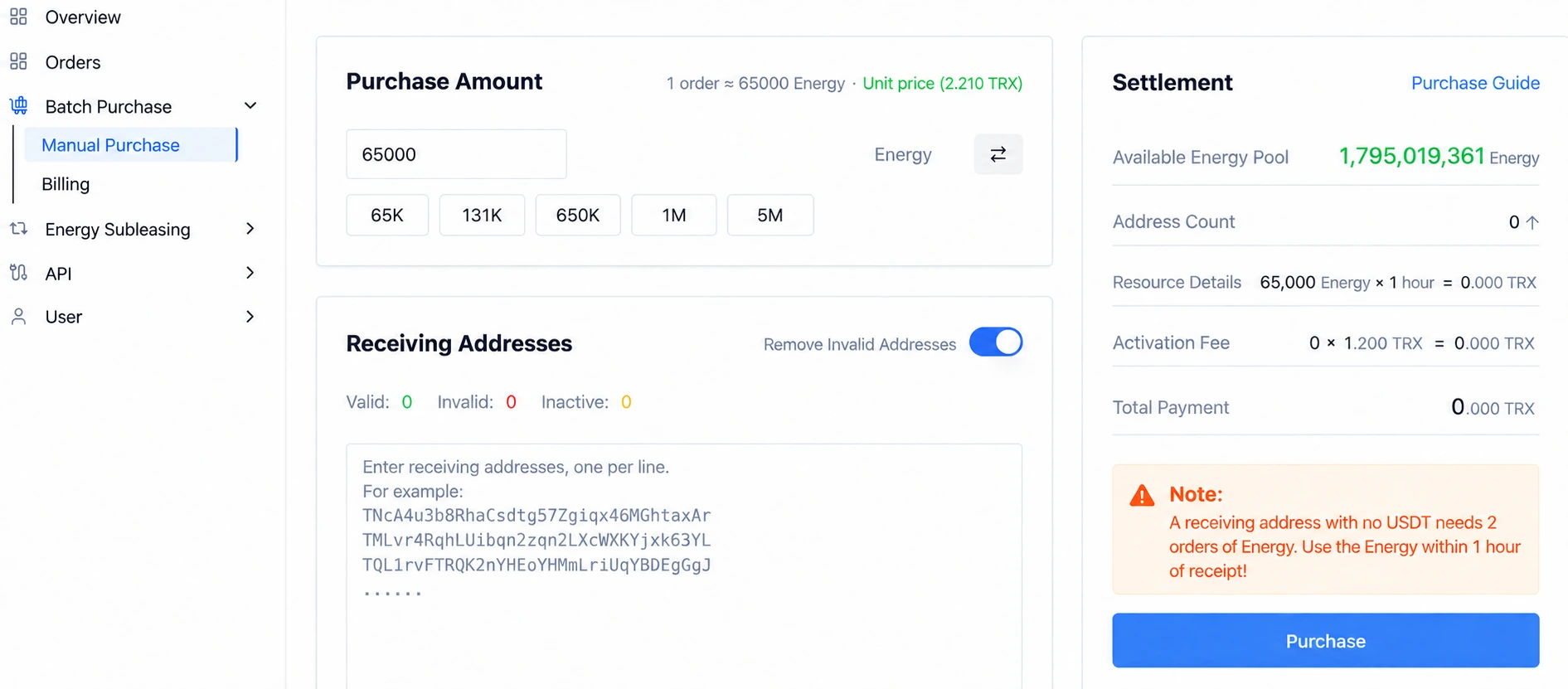
For users with substantial Energy requirements, CatFee V2 introduces batch purchasing. This is especially useful when buying Energy for multiple addresses. Main features include:
- Simple interface: Quickly enter multiple addresses and purchase the required Energy.
- Convenient batch operations: Avoid repetitive individual purchases, save time, and improve efficiency.
- Order management: View all batch purchase orders and monitor their status and progress in real time to help each order complete smoothly.
Batch purchasing improves Energy procurement efficiency for both individuals and large businesses.
4. Energy Subleasing: An Innovative Way to Earn
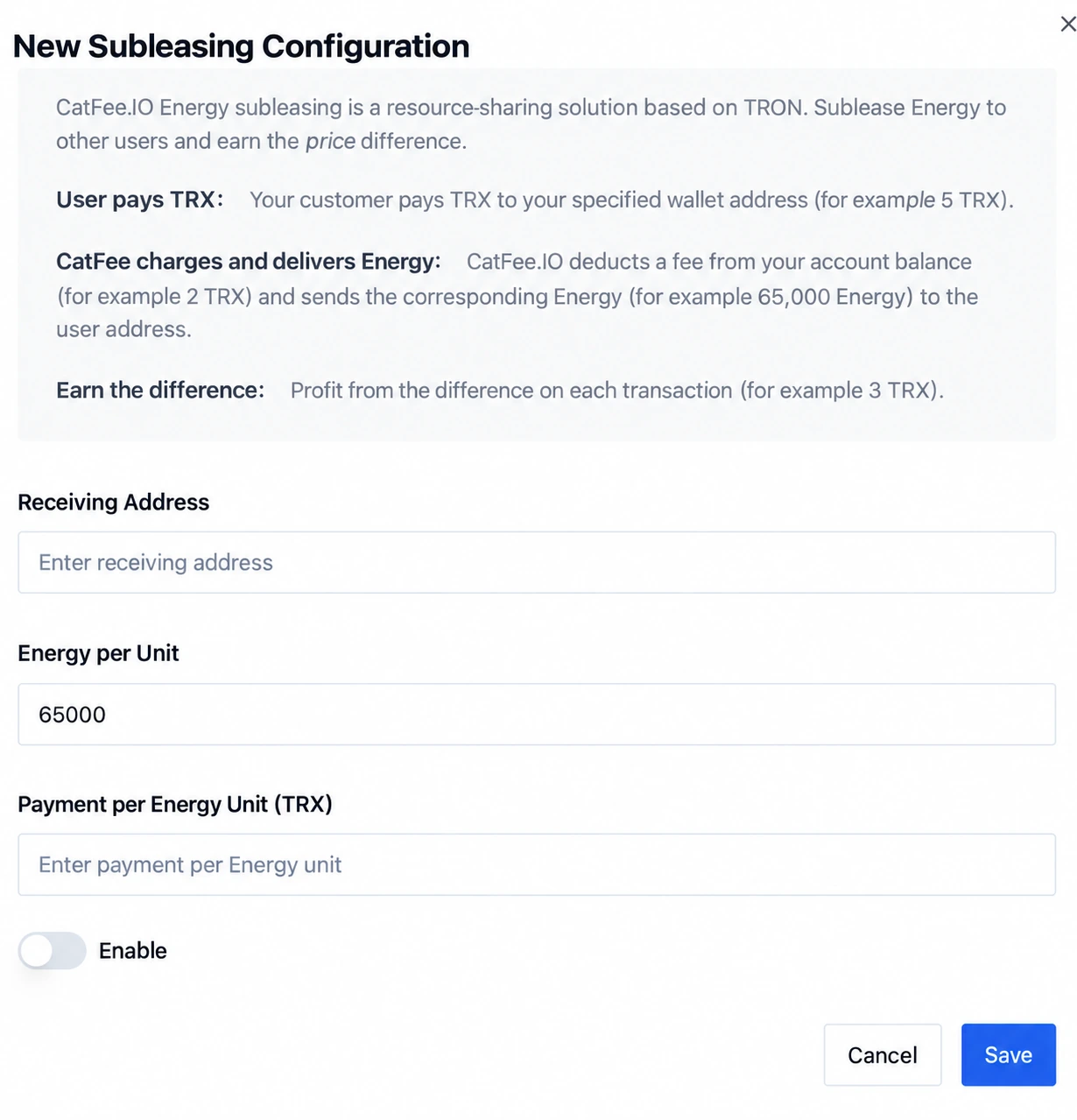 CatFee's Energy subleasing feature is a platform highlight. Users can provide Energy services to their own customer communities and earn from subleasing. This is particularly useful for blockchain projects with substantial user bases or demand that want to launch services quickly. Features include:
- Subleasing settings: Easily sublease Energy to your customer community and begin monetizing it.
- Subleasing data: View data in real time, evaluate performance, and adjust strategies to different user requirements.
- Monetizing your customer channels: Use available resources efficiently and increase the commercial value of your own audience channels through Energy subleasing.
This feature creates opportunities for users to earn and opens an additional channel for monetizing blockchain resources.
5. API Module: Secure and Efficient Management
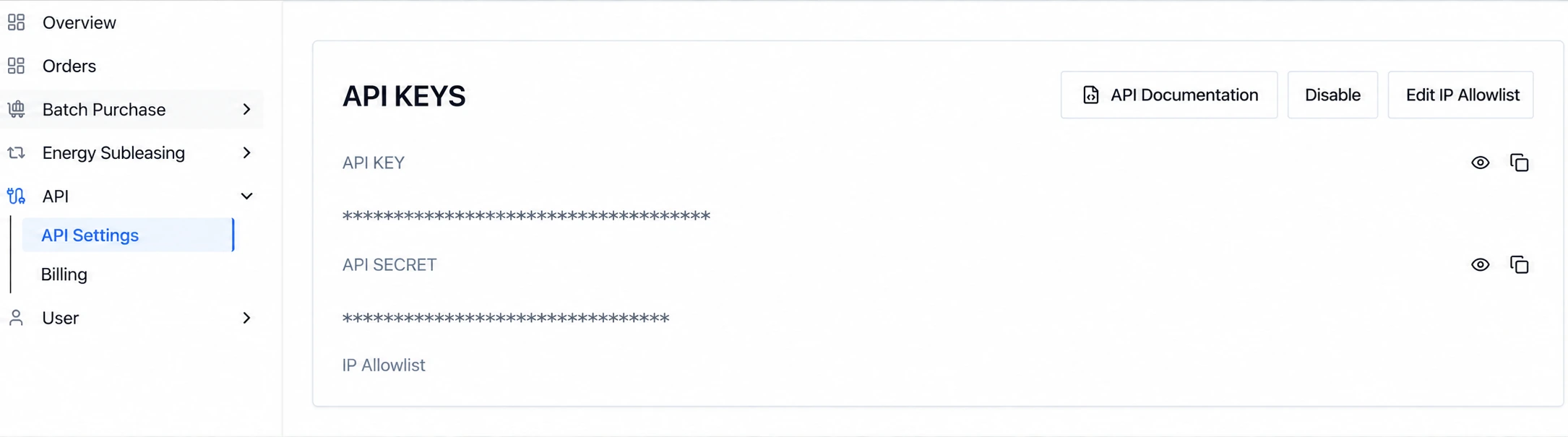
CatFee V2 also redesigns the API module to provide more secure and convenient management:
- View API information: View and manage your API details to maintain security and availability.
- Configure an allowlist: Only authorized IP addresses can call the API, significantly improving system security.
- API call records: Monitor API usage in real time to help avoid exceeding limits or encountering malicious attacks.
Developers and businesses can use the API module to manage their interfaces efficiently and improve system security and stability.
6. User Module: Personal Information in One Place
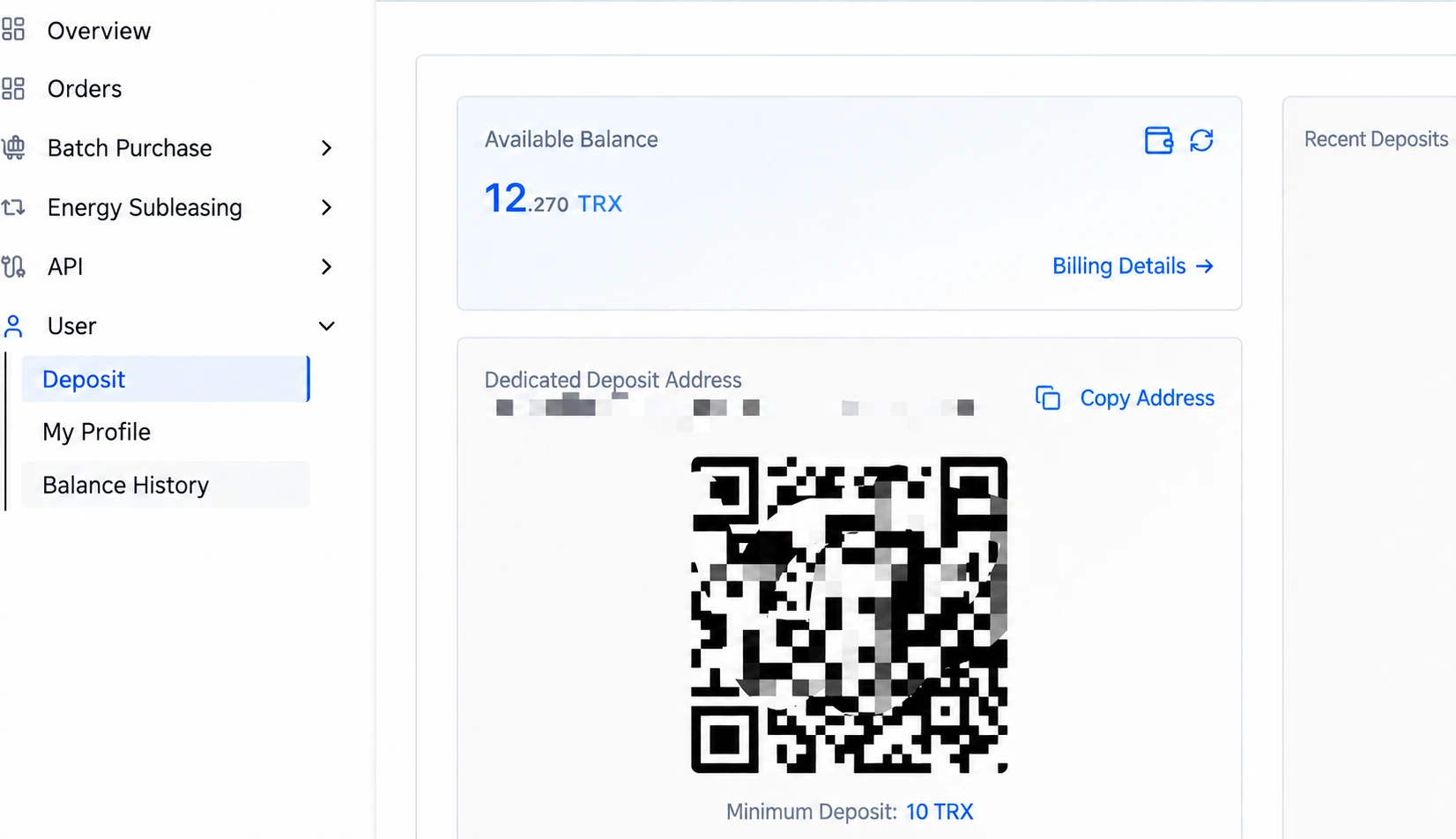 The new user module makes it easy to manage personal information, deposit records, fund changes, and other key data. Features include:
- Dedicated deposit address: View and manage your deposit address for convenient deposits.
- Deposit history: View all deposit records and trace every deposit.
- Personal information management: Update your profile, including contact and identity information, to keep it complete and secure.
- Balance change details: Detailed records of each fund movement help you understand every account operation and safeguard funds.
The module makes all account management operations easier to perform.
A New Design: Simple and Powerful
The CatFee V2 User Center brings a comprehensive visual upgrade and a better user experience. Its clean design and efficient modules make operations smoother and less complex.
For individuals and businesses alike, CatFee V2 provides comprehensive support for managing accounts, funds, and resources more efficiently and securely.
Why Choose CatFee?
- Comprehensive features: Account management, order searches, Energy purchases, API security, and more in one place.
- Technical capabilities: Blockchain technology supports more flexible and secure operations.
- Practical design: A redesigned interface improves the experience and simplifies workflows.
- Innovative features: Services such as Energy subleasing help users monetize resources and earn revenue.
Choose CatFee for more efficient, economical, convenient, and secure TRON Energy services!